Static logos work everywhere. But on video-first platforms like YouTube, Instagram Reels and TikTok, a logo that moves catches the eye in a way a still image can't.
Big brands pay motion designers for logo animations. Small creators and businesses usually skip it, because it means learning After Effects or paying for a template. It doesn't have to. ShotKart's free logo maker now turns your logo into a short animated video in a few clicks.
What is an animated logo?
An animated logo is a short video, usually 2 to 5 seconds, in which the parts of your logo appear with motion: the icon pops in, the name slides or types in, the tagline follows. It ends on your finished logo, so viewers remember it.
You'll see them in:
- YouTube intros and outros, the first or last seconds of a video
- Instagram Reels, TikTok and YouTube Shorts, as an opener or a branded ending
- Stories and WhatsApp status, to announce a launch or a sale
- Presentations and websites, as a loading screen or a hero video
- Ads, where the first second decides if people keep watching
Here is a real one, made with ShotKart in under a minute:
Why animate your logo?
- It stops the scroll. Movement is the first thing the eye notices in a feed full of still images.
- It makes a small brand look established. A clean logo intro is something viewers associate with professional channels and companies.
- It builds recognition. Seeing the same short animation at the start of every video teaches people your brand.
- It's reusable. Make it once and use it in every video, Reel, Story and presentation.
How to make an animated logo for free (step by step)
- Make or open your logo. Go to the free logo maker, type your brand name and a short description, and generate a few logo ideas. Your name is added as real text, so it's always spelled right.
- Pick a concept and make it yours. Choose the logo you like, then adjust the layout, font, colours and tagline. Edits are free and don't use a generation.
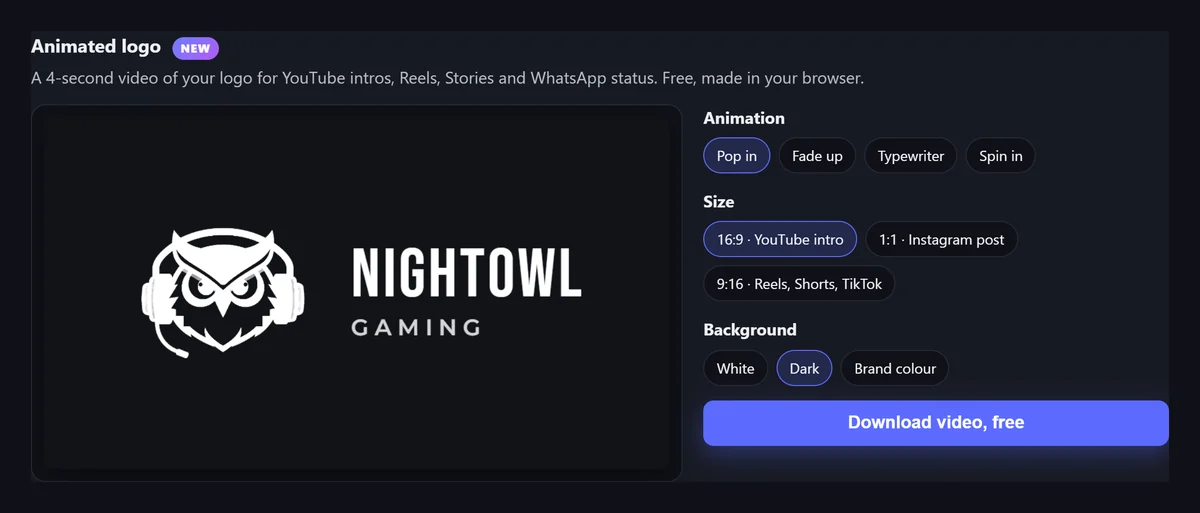
- Scroll to "Animated logo". A live preview plays your logo animation on a loop, and it updates when you change the font, layout or colours.
- Choose an animation style. Pop in, Fade up, Typewriter or Spin in (see below).
- Choose the video size. 16:9 for YouTube, 1:1 for Instagram posts, 9:16 for Reels, Shorts, TikTok and Stories.
- Choose a background. White, dark, or your main brand colour.
- Click "Download video, free". It takes about 4 seconds to record, then the MP4 downloads to your device.
That's it. No account, no watermark and no editing software.
How the animation works
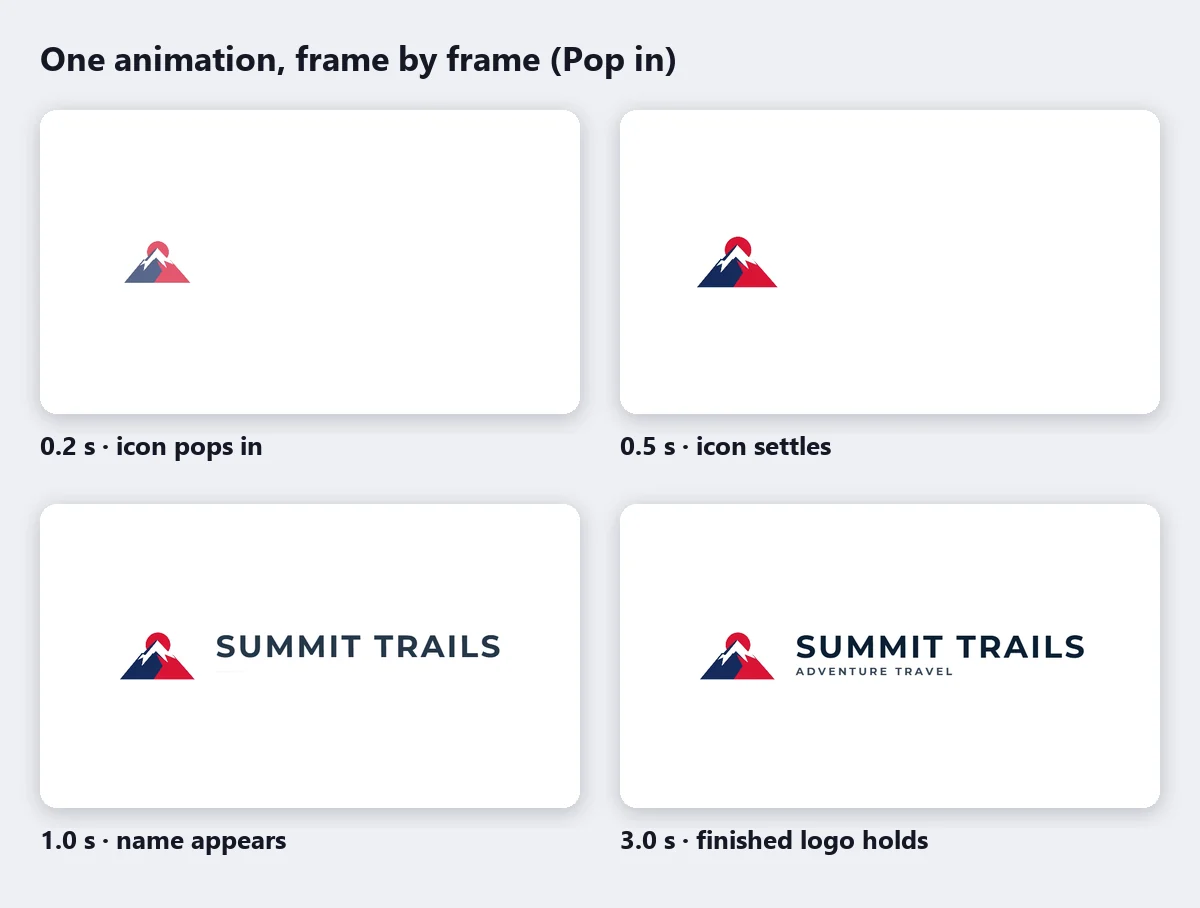
Each part of your logo comes in on its own, in order: first the icon and shapes, then your brand name, then the tagline. After about 2 seconds the finished logo holds still, which gives viewers time to read it.
The four animation styles
| Style | What happens | Best for |
|---|---|---|
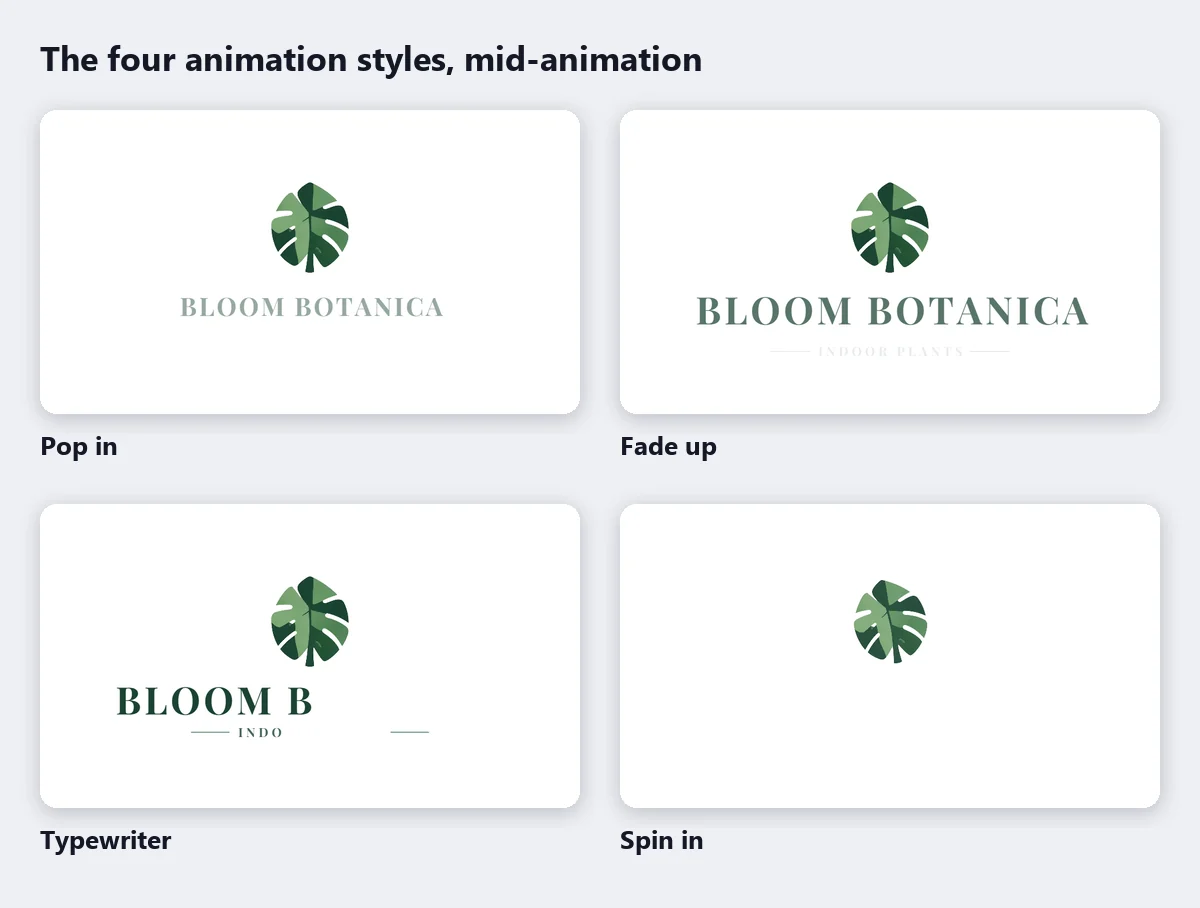
| Pop in | Each part grows in with a small bounce | Gaming, kids, food, playful brands |
| Fade up | Parts fade in while rising gently | Corporate, beauty, real estate, luxury |
| Typewriter | The name and tagline type in letter by letter | Tech, education, podcasts, writers |
| Spin in | The icon spins into place, then the text fades up | Sports, fitness, music, bold brands |
If you're not sure, start with Fade up. It suits almost any brand and never feels too loud.
Animated logo sizes for every platform
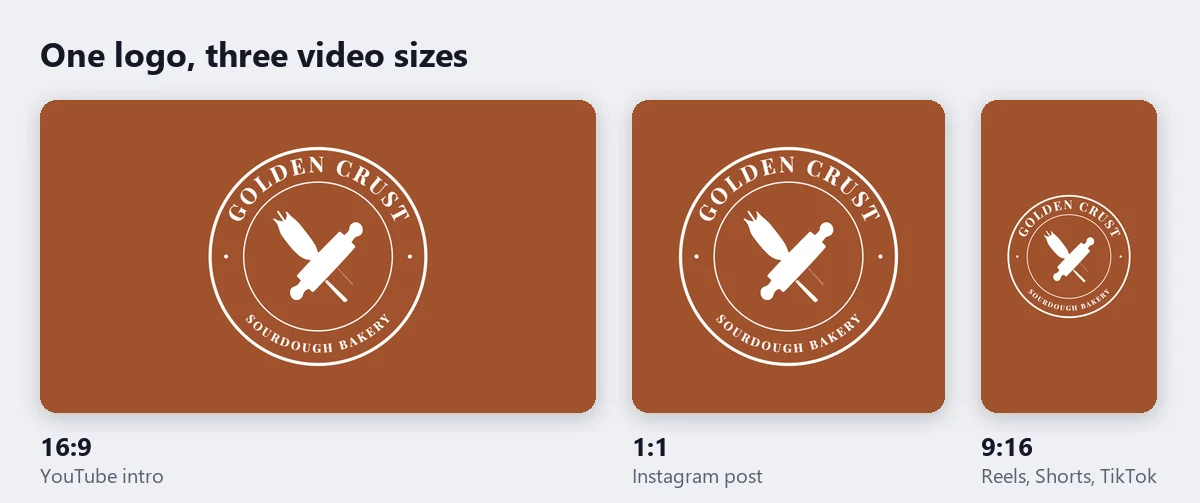
Each platform crops video differently, so download the size that matches where it will be shown. The logo always stays centred with space around it, so nothing gets cut off.
| Where you'll use it | Size | Pixels |
|---|---|---|
| YouTube intro or outro, presentations, website hero | 16:9 | 1920 × 1080 |
| Instagram and Facebook feed posts, LinkedIn | 1:1 | 1080 × 1080 |
| Reels, YouTube Shorts, TikTok, Stories, WhatsApp status | 9:16 | 1080 × 1920 |
For your other logo files, like profile pictures, banners and favicons, see the logo size guide.
Tips for a great logo animation
- Keep intros short. Viewers came for your content, not your logo. Use the 4-second video as it is, or trim it to 2–3 seconds in your editor.
- Pick a background that fits the video around it. Dark backgrounds suit gaming and tech channels; your brand colour works well for Reels and Stories.
- Use the same animation everywhere. Consistency is what turns an animation into recognition.
- Add sound in your editor. The video is silent, so you can add a short whoosh or your own jingle in CapCut, iMovie or Premiere.
- Check it on a phone. Most people will watch it on a small screen, so make sure your name is readable. If it isn't, use a shorter tagline or the stacked layout.
- Start with a simple logo. Clean icons animate better than detailed ones. Our guide to making a YouTube logo shows what works at small sizes.
How to use your animated logo
- YouTube: add the 16:9 MP4 to the start or end of your video in any editor. For end screens, place it in the last seconds while your end-screen elements appear.
- Instagram and TikTok: upload the 9:16 video as a Reel or Story, or add it as the first clip of a longer Reel.
- WhatsApp Business: post the 9:16 video to your status when you launch something new.
- Website: use the 16:9 or 1:1 MP4 as a muted, looping video in your header or about page.
Get your animated logo
You don't need a motion designer or a subscription to give your brand a moving logo. Make your logo, pick an animation, and download a free MP4 for YouTube, Instagram, TikTok and WhatsApp, all from your browser.