AI image editor and product photo editor for Shopify
Edit product photos online with focused tools for background changes, distraction cleanup, lighting, retouching and product scenes. Compare every result with your original.
Try it free, no signup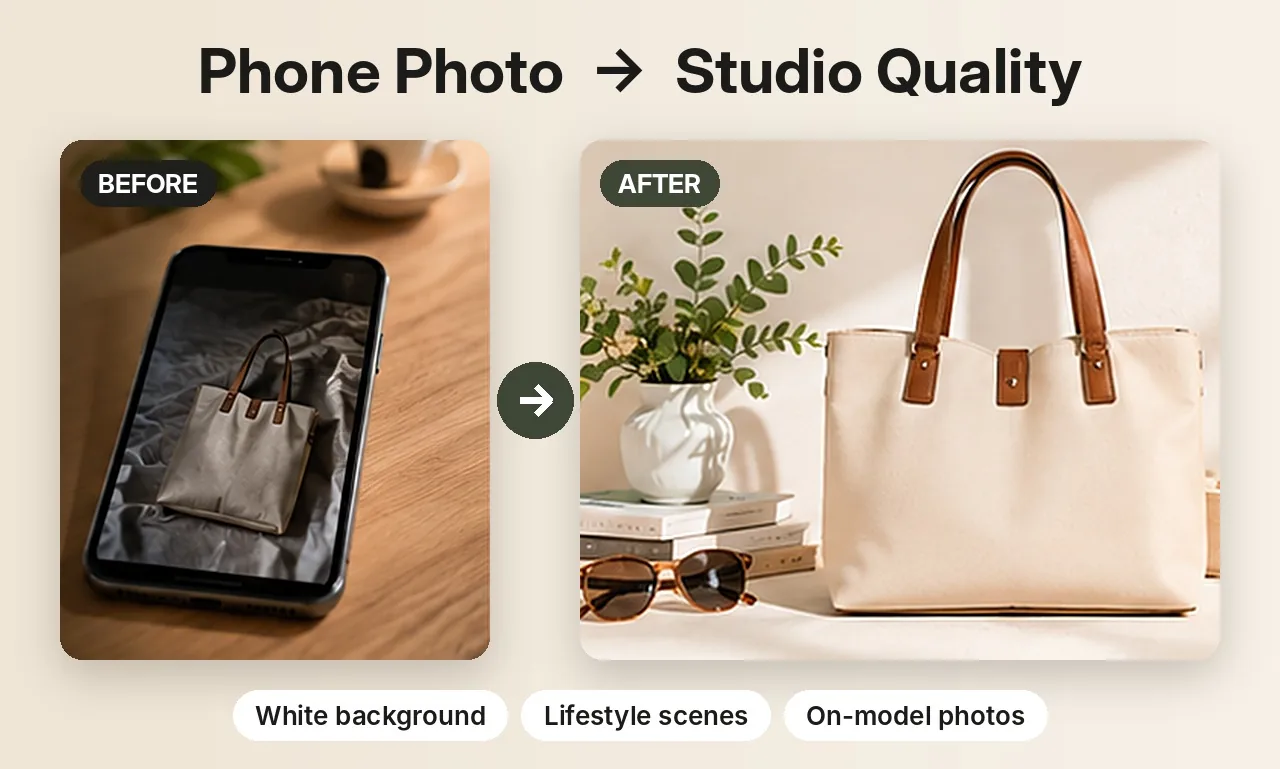
A practical online image editor for product photos
ShotKart is an AI image editor and photo editor built around common product-photo jobs. Start with a photo of your real item, choose a focused edit, and refine its instruction before generating a version. Compare the result with the original so you can check colour, shape, labels and other details before publishing.
What you can do with the product photo editor
- Create a studio image: place a product in a clean, simple setup for a listing gallery.
- Make a lifestyle scene: show an item in a setting that helps shoppers picture using it.
- Generate an on-model image: create a clothing or jewelry view without arranging a photoshoot.
- Preserve the product while changing its background: use the dedicated Background Swap tool when the original product pixels must stay unchanged.
- Prepare a set of listing photos: build multiple views from one source photo, then choose the images that best represent the item.
- Choose a guided edit: start with an AI background change, distraction removal, lighting, product retouch or a new product scene, then fine-tune the prompt.
- Refine the result: continue editing a generated version and compare it beside the source photo.
- Prepare a Shopify image without AI: fit the full product into a 2048 × 2048 JPEG with padding, so the frame changes without asking AI to redraw the item.
Use this Shopify image editor for listing photos
Need a Shopify image editor for a product listing? Upload a real product photo, use AI to clean up a distracting setting or improve its presentation, then use Crop & Shape to choose an export ratio and Adjust to tune brightness, contrast and saturation. Compare the edited image with the original and make sure the product still matches what you sell before publishing it to Shopify.
How to edit a product photo with AI
- Take a clear source photo. Use daylight, show the full item and avoid covering important details. A phone photo is enough to get started.
- Choose how to edit it. Generate a new scene for studio, lifestyle or on-model imagery. Choose Background Swap if the product must remain pixel-for-pixel unchanged.
- Review the result. Compare colour, shape, labels, patterns and hardware with the real item before you add the image to a listing.
- Download the images you need. Keep the same visual style across the product page and check the crop on mobile.
Generated scene or background replacement?
These two edits do different jobs. A generated scene redraws the photo to create a new setting or put a garment on a model. It can look natural, but fine details may shift. Background Swap changes only the area behind the product and preserves the product pixels, which is useful when exact appearance matters more than a new setting.
For marketplace listings, use images that accurately represent what the customer will receive. Do not use a generated image if the product's colour, construction or details no longer match the real item.
Who this AI photo editor is for
It is designed for small online sellers who need product listing images for Shopify, Etsy, Amazon and social shops, especially when a professional photoshoot is not practical for every item. It focuses on product photos; it is not a general portrait retoucher or a full layer-based design editor.
Need a complete product image workflow? See AI product image generator, or learn about removing a background from a photo. For general advice, read our online image editor guide and AI photo editor prompt examples.
Selling jewelry? See AI jewelry product photos for on-model and white background shots of rings, earrings and necklaces. Related guides: the AI product image generator and removing a photo background.
Try it on your own product
Upload one phone photo and get HD product photos in seconds. Try it without an account, then sign up free for 3 HD photos every day.
Try it freeQuestions
What is an AI photo editor for product photos?
It uses AI to make product images from a source photo. ShotKart can create studio, lifestyle and on-model scenes, or replace the background while keeping the product pixels unchanged.
Can I edit a product photo without changing the product?
Yes. Background Swap replaces only the background and preserves the product pixels. Generated scenes redraw the image, so review details such as colour, labels and patterns before using them.
Does ShotKart edit regular portraits and selfies?
ShotKart is built for ecommerce product photos, including clothing, footwear, accessories, jewelry and other products. It is not a general portrait retouching app.
Can I use the edited images on Shopify or Etsy?
You can prepare product images for your store, but check each result against the item you sell and follow the current image rules for your marketplace and category.
Do I need a professional camera?
No. A clear phone photo in good light is a useful starting point. Keep the whole product visible and photograph small details sharply.