How to Remove Background for Etsy Product Photos (2026 Guide)
Etsy now requires one unedited photo in most listings. Here's how to remove or replace backgrounds on the rest of your photos without breaking the rules or misrepresenting your item.
By Ankur Sharma, Founder, ShotKart · Published
Quick answer: Etsy allows you to remove or replace backgrounds, including with AI tools, as long as the item stays accurate. Most listings must also include at least one unedited photo of the actual item, and if you use AI to edit any listing photo, Etsy asks you to note that in your listing description.
On this page
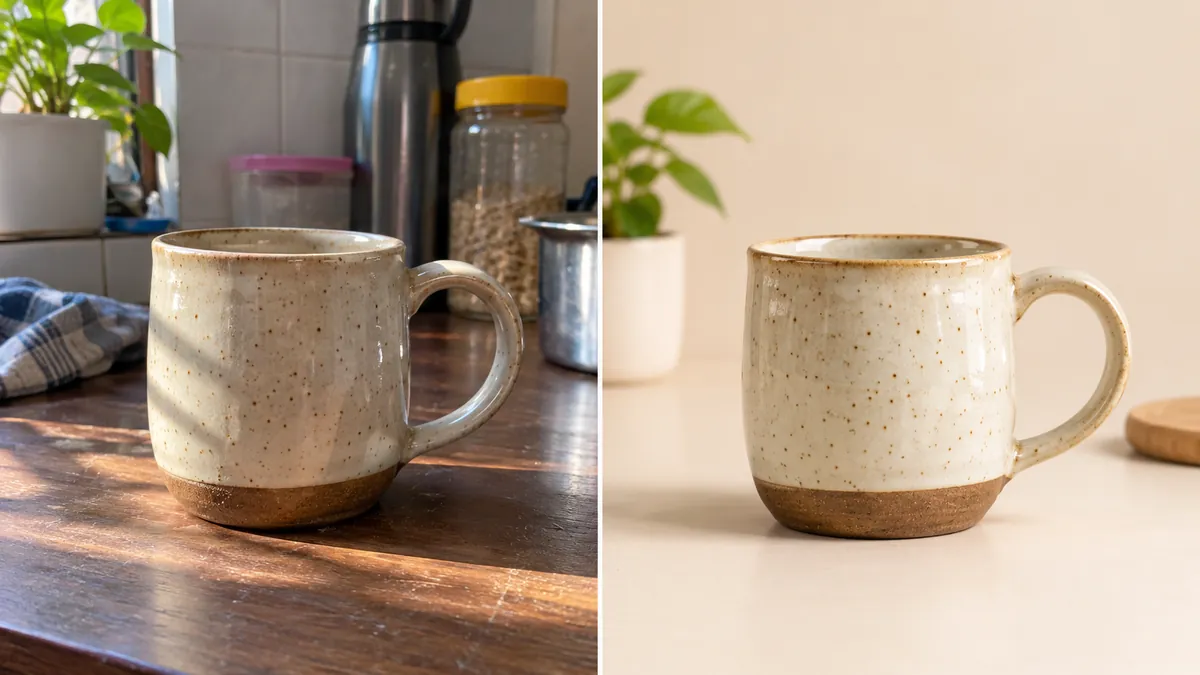
You made a beautiful piece, photographed it on the kitchen table, and the photo shows a kettle, a dish towel and yellow evening light. If you're wondering how to remove background for Etsy product photos so your work looks as good as it is, you're in the right place.
Good news: removing or replacing backgrounds is allowed on Etsy, including with AI tools. But since Etsy's late-2026 image update, there's one rule you can't skip. Follow it, and clean backgrounds are fair game.
Etsy's 2026 Background Removal and AI Photo Rules (Read This First)
Etsy's image requirements now work like this: one unedited photo, plus a gallery you can edit.
1. At least one unedited photo. Most listings must include at least one unedited photo of the actual item. On that photo you may only:
- Crop or resize it
- Add a watermark
- Change its file format
You can't remove or swap the background, retouch it, or use AI tools on that photo.
2. It doesn't have to be first. Etsy says your first image doesn't need to be the unedited photo, but it should be the clearest, most realistic representation of the item buyers will receive.
3. Every other slot can be edited. On your other photos you can use editing tools, including AI, to change backgrounds, adjust lighting or color and remove distractions, as long as the item itself stays accurate.
4. Disclose AI edits. If you use AI to edit any listing photo, Etsy asks you to note it in your listing description.
| Allowed edits ✅ | Prohibited edits ❌ |
|---|---|
| Removing clutter from the background | Removing or swapping the background on your one unedited photo |
| Replacing the background with white or a neutral color | Hiding flaws, damage or wear on the item |
| Placing the item in an AI lifestyle scene | Changing the item's color, texture, size or shape |
| Adjusting brightness, contrast and white balance | Making the item look different from what the buyer receives |
| Cropping, resizing and watermarking any photo | Using only AI-generated images to show the finished item |
Etsy's technical photo requirements
- Size: Etsy recommends a width and height of at least 2000 pixels. Your first photo must be at least 635 pixels on each side, or it can show up lower in search.
- Shape: Etsy recommends a landscape or square first photo, and the first photo sets the shape for the rest.
- Thumbnails: Etsy crops thumbnails into different shapes, so keep the item centered with space around it.
- Format and color: Use JPG, PNG, GIF, SVG or HEIC, and save in sRGB. Transparent PNGs aren't supported; transparent areas show as black.
- Resolution: Etsy doesn't set a PPI requirement. What matters is the pixel size.
For the full breakdown, read our Etsy listing photo size guide.
Step-by-Step: How to Remove or Change Backgrounds Without Ruining Product Quality
Step 1: Shoot two photos
Take one clean, real photo on a real surface to keep unedited. This is your required photo, so make it good: tidy the area, use window light and keep the item in focus.
Then take a second, well-lit photo for editing. Use a plain surface and soft daylight, with space around the item. A clean source photo gives the background remover clean edges to work with.
Step 2: Use an edge-preserving background remover
Choose a tool that keeps the item's own pixels and only changes what's around it. This matters most for Etsy, where buyers expect the photo to show the real piece.
Zoom in after removal. Look at the outline for halos, chopped edges or bits of the old background.
Step 3: Choose white, neutral or a lifestyle background
Pure white or neutral backgrounds are clean, read well as a small search thumbnail and keep a shop looking consistent.
Subtle lifestyle backgrounds (linen, wood, marble, soft plants) show the item in a real setting and suit handmade and vintage shops.
Either way, the item needs a realistic contact shadow. Without one, products look cut out and pasted on, which makes buyers trust the photo less.
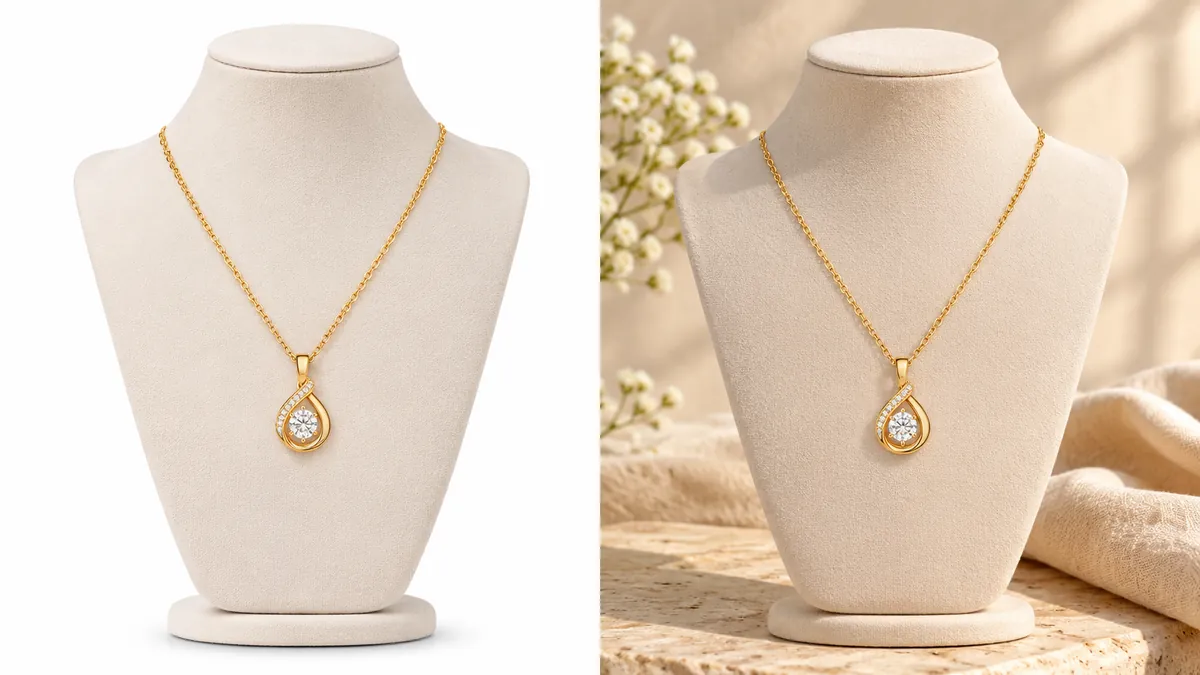
Want a clean background in seconds? ShotKart's Background Swap keeps your item exactly as photographed and only replaces what's behind it.
Try it free, no signupStep 4: Check colors and edges
Put the edited photo next to the real item and compare:
- Color: Does the glaze, fabric or metal match in daylight?
- Edges: Check delicate areas like jewelry chains, glass rims, yarn fibers, fur and lace. These are where background removers most often slip.
- Condition: Are scratches, wear or maker's marks still visible? Etsy doesn't allow edits that hide flaws.
If anything looks different from the real item, redo it or leave the photo out.
Step 5: Export and disclose
- Export at 2000 x 2000 px (square) or a landscape size of at least 2000 px on the short side, matching your first photo's shape.
- Save as JPG in sRGB, around 1 MB.
- Add a line to your listing description, for example: "Photos 2 to 5 have AI-edited backgrounds. Photo 6 is unedited."
4 Practical Tools to Remove and Edit Etsy Product Backgrounds
| Tool | Best for | Free option | Works on |
|---|---|---|---|
| Photoroom | Realistic shadows and batch edits | Free plan with limits | Phone and web |
| Canva Pro | Sellers who also design graphics | Background remover needs a paid plan | Web, desktop and phone |
| Pixelcut | Quick phone-to-Etsy edits | Free plan with limits | Phone and web |
| ShotKart | Background swaps plus lifestyle and on-model scenes | Free to try, free daily HD photos with an account | Web (phone and desktop) |
Photoroom
- Pros: Good automatic cutouts, AI backgrounds with shadows, batch editing for whole collections.
- Cons: Free exports are size-limited; batch and higher-resolution features are on paid plans.
- Best Etsy niche: Home decor, candles, cosmetics and other shops with many similar products.
- Pricing: Free plan plus paid subscriptions. Check Photoroom's site for current prices.
Canva Pro
- Pros: One-click background remover inside a full design tool, handy for banners, text overlays and social posts.
- Cons: The background remover needs a paid plan (Canva for Education and Nonprofits aside). It's a design tool first, not a product photo tool.
- Best Etsy niche: Digital products, printables and shops that make lots of graphics.
- Pricing: Subscription. Note that remove.bg's standalone website is closing on December 1, 2026, with its users pointed to Canva.
Pixelcut
- Pros: Mobile-first, fast cutouts and backgrounds straight from your phone's camera roll.
- Cons: Free use is limited; heavier use and batch exports need a paid plan.
- Best Etsy niche: Sellers who list from their phone: jewelry, accessories, small gifts.
- Pricing: Free plan plus a Pro subscription. Check Pixelcut's site for current prices.
ShotKart
- Pros: Background Swap keeps your item pixel for pixel and only replaces the background. Product Photos adds studio, lifestyle and on-model scenes from the same upload, with categories for jewelry, clothing, footwear and accessories.
- Cons: No batch editing or phone app yet. Generated scenes and on-model shots redraw the item, so check details.
- Best Etsy niche: Jewelry and clothing shops that want clean backgrounds plus on-model photos.
- Pricing: Try it without an account. A free account includes 3 HD photos a day, then pay-as-you-go credit packs with no subscription. See pricing.
3 Common Background Mistakes That Lead to Refunds
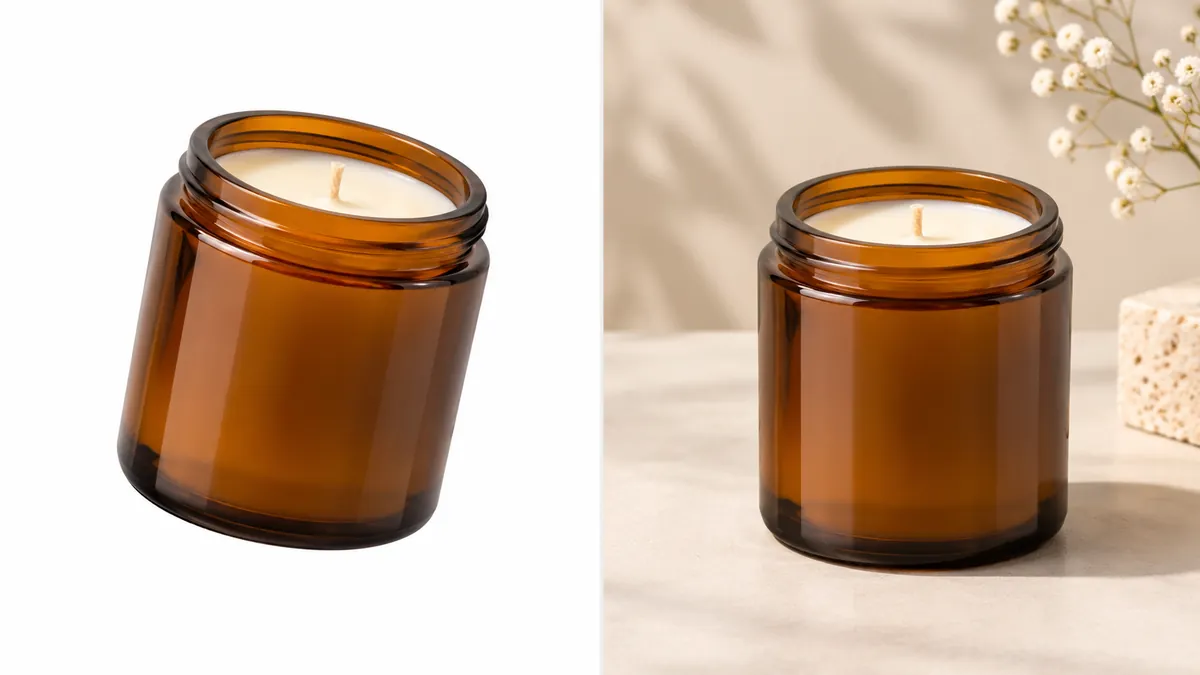
1. Floating objects with no contact shadow
An item with no shadow looks pasted on, or worse, like it's hovering. Buyers read it as fake and trust the whole listing less. Make sure the item sits on a surface with a soft shadow underneath.
2. Lighting that doesn't match the item
If the background has warm sunset light but the item was shot under cool daylight, the photo looks wrong even if buyers can't say why. Worse, heavy relighting can change how the item's color looks. Choose backgrounds with soft, even light similar to your original photo.
3. Forgetting the unedited photo
With the 2026 rules, a listing made only of edited photos doesn't meet Etsy's requirements for most items. Always keep one real, unedited photo of the actual item in the gallery, and note any AI edits in your description.
Quick Checklist
- One unedited photo of the real item in every listing
- Clear, accurate first photo, centered with space around it
- Clean edges and a natural contact shadow on every edited photo
- Colors and condition match the real item
- At least 2000 px, sRGB, around 1 MB
- AI edits noted in the listing description
For more Etsy photo ideas, read AI product photos for Etsy, see our Etsy product photos page, or learn how to photograph jewelry for Etsy.
FAQ
Does Etsy allow AI background removal in 2026?
Yes. Etsy lets you use photo-editing tools, including AI, to change backgrounds, adjust lighting and clean up your photos, as long as the item still looks exactly like what the buyer receives. Most listings must also include one unedited photo of the actual item, and AI edits should be noted in your listing description.
Should my first Etsy photo have a removed background or a real background?
Either is allowed. Etsy says your first image doesn't have to be the unedited photo, but it should be the clearest, most realistic representation of the item. A clean, edited background often wins clicks in search, while your required unedited photo can sit in another slot.
What is the best image size for Etsy product photos?
Etsy recommends listing photos at least 2000 pixels wide and tall, and your first photo must be at least 635 pixels on each side to avoid ranking lower in search. Use a landscape or square first photo, keep files around 1 MB, and save in sRGB.
Can I edit the unedited photo at all?
Only a little. Etsy allows you to crop or resize it, add a watermark, or change its file format. You can't remove or replace the background, retouch it or run AI tools on that photo.
Do I need to tell buyers I used AI on my photos?
Yes. Etsy's image requirements say that if you use AI to edit any of your listing photos, you should note it in your listing description. A short line such as "Backgrounds in photos 2 to 5 were edited with AI" is enough.